
01
Get started fast
The setup is designed to be short, not a long technical checklist.
Get started
Made for solo creators, small business owners, and AI indie developers. Pick the installer for your device and start managing agents, scattered tasks, and follow-up work fast.
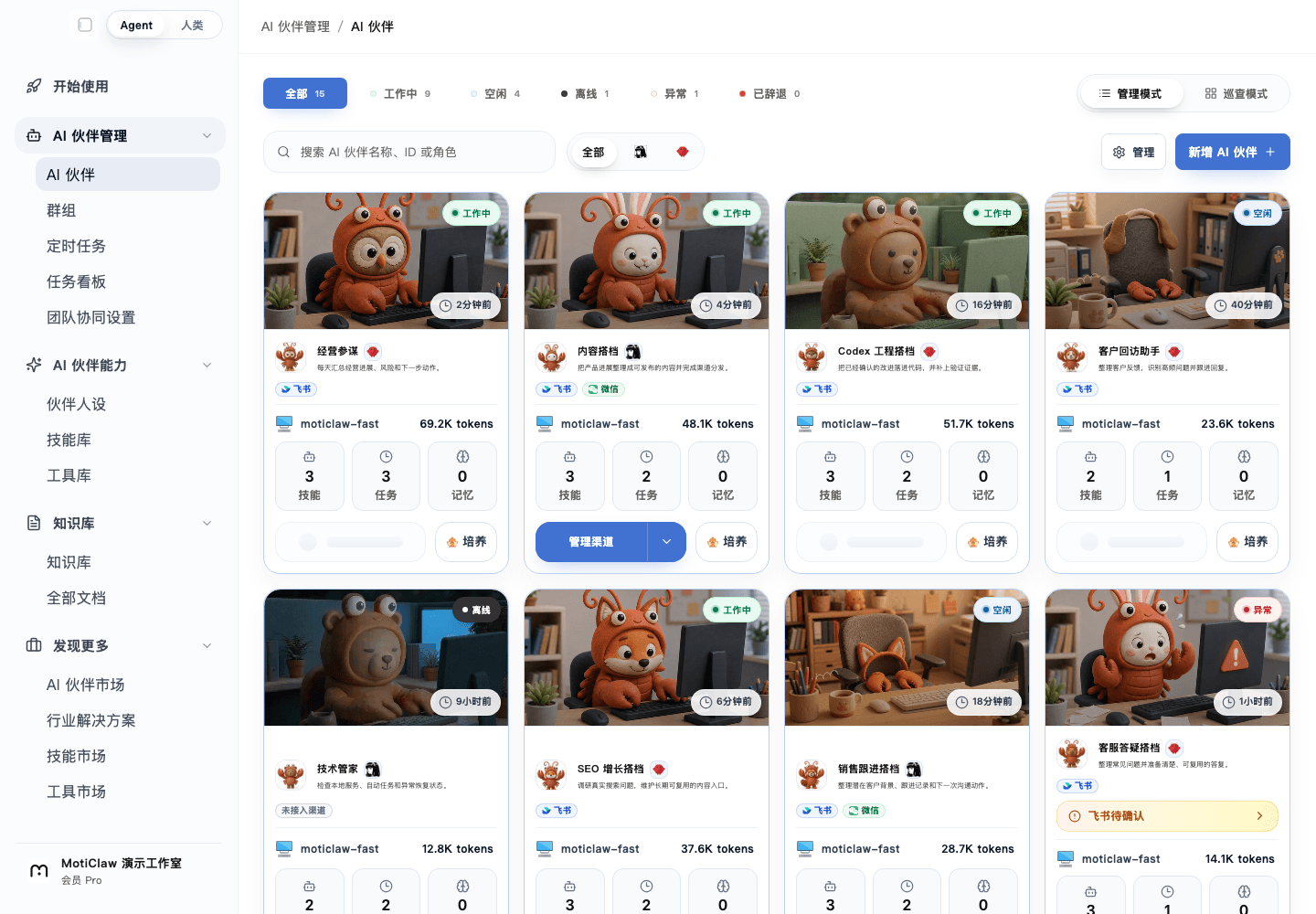
See how the real workbench carries status, tasks, and human review before deciding whether the approach fits.
Open interactive preview01
The setup is designed to be short, not a long technical checklist.
02
Choose the installer that matches your device and download the public build.
03
Keep your work and agents on your own device with clearer boundaries.
Start here
Put inputs, execution, and human review into one clear path before expanding it.
Start with the operating system and architecture you use today, then download the matching public installer.
Follow the installer flow, then continue with your sign-in and invitation process if needed.
Once installed, you can begin with agents, task organization, and daily follow-up work right away.
If your first question is simply “Can I install this and try it now?”, this page is the fastest entry point.
You do not need to understand models, gateways, or deeper deployment choices before you begin.
The first value is practical: bring scattered work back together and make the next step clearer.
People who land from search often want a quick answer: can I download it, is it complicated, and what happens after I install it?
This page answers those questions up front in user language instead of starting with product jargon.
FAQ
No. The public installer flow is meant to work well for non-technical users first.
MotiClaw is designed around a local-first model, so your work and agents stay primarily on your own device.
Yes. Many users start with installation, then add models, gateways, and deeper setup later on their own pace.
Next
See what MotiClaw helps you do, from agent onboarding and daily operations to data insights, all in one local-first control interface.
See how local deployment works in MotiClaw, who it fits best, and how to start managing AI partners and agents while keeping your data on your own device.
See how MotiClaw brings agent onboarding, status, daily operations, configuration, and delivery into one local-first workbench for FDEs, AI indie developers, and founders.
MotiClaw fits founders and solo operators who need a local-first AI partner platform to gather scattered work, manage agents, and keep execution moving.
Run the first step