
01
Topics need a source
Track communities, search intent, customer questions, and internal observations so each topic has a reason.
Workflow
Many teams already have spreadsheets, calendars, and topic docs, but still scramble for assets, rewrite titles, chase publishing status, and forget where leads came from. A useful AI content calendar should keep topics, assets, publishing checks, channel rhythm, and recap signals on one path so AI assistants organize the flow while operators keep judgment.
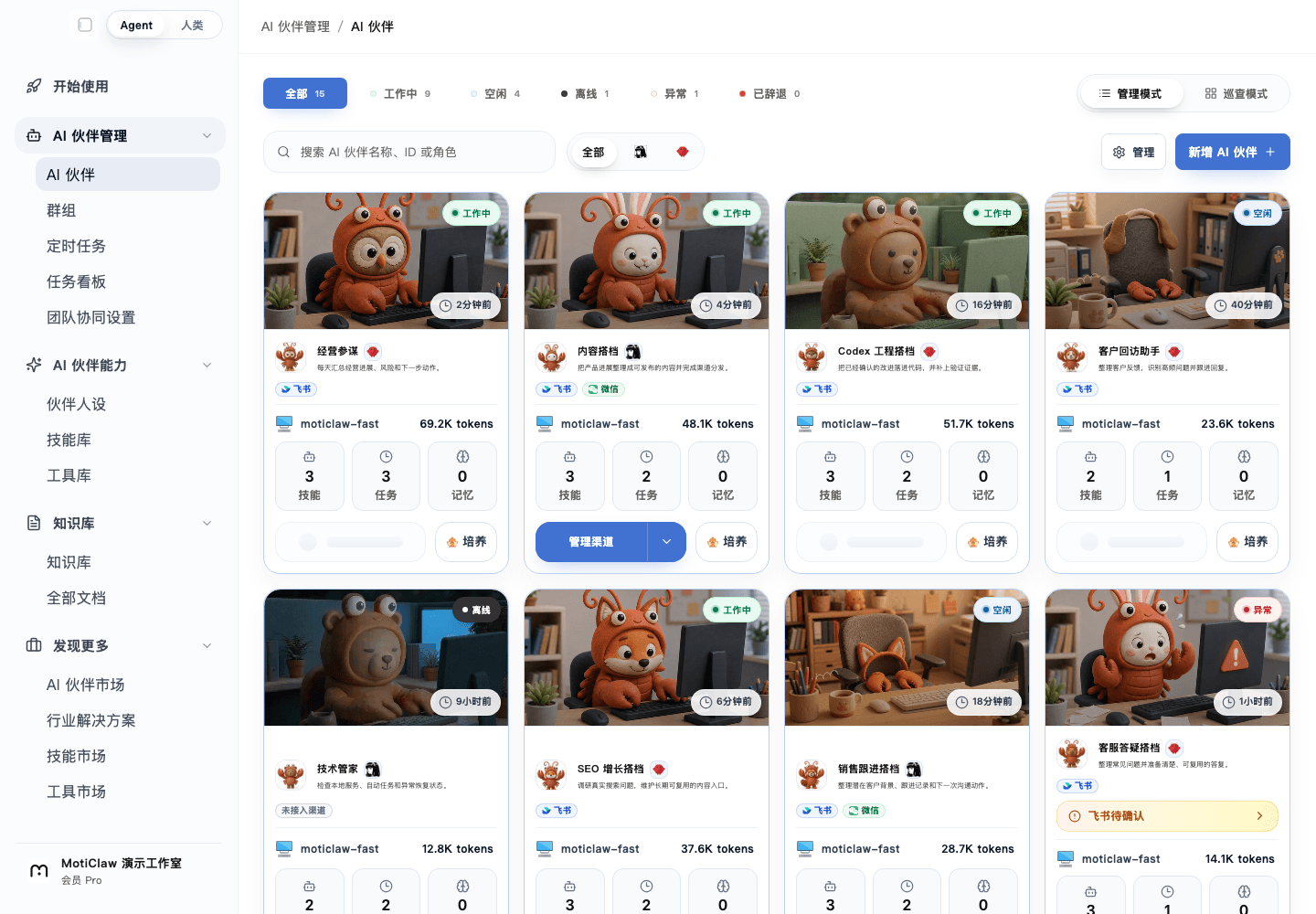
See how the real workbench carries status, tasks, and human review before deciding whether the approach fits.
Open interactive preview01
Track communities, search intent, customer questions, and internal observations so each topic has a reason.
02
Keep title, description, FAQ, image alt text, internal links, mobile readability, and channel wording in one card.
03
Turn impressions, clicks, comments, inquiries, and leads into the next round of topic priority.
Start here
Put inputs, execution, and human review into one clear path before expanding it.
Capture topic sources, audience, search intent, asset links, screenshots, and quotable excerpts so AI assistants know what to organize.
Run each piece through title, description, FAQ, image alt text, internal links, mobile readability, and channel-specific checks before launch.
After publishing, record impressions, clicks, comments, inquiries, lead status, and next owner so the next calendar decision has evidence.
Many calendars only record dates and titles. The material that determines content quality lives elsewhere: chats, web pages, screenshots, meeting notes, and personal memory. When timelines tighten, operators end up rebuilding context by hand.
If a calendar cannot show why a topic matters, where assets live, what is missing before launch, and what feedback arrived afterward, it is a schedule, not a workflow.
The first version of an AI content calendar should not chase fully automatic generation and publishing. A stronger starting point is to let AI assistants organize inputs, prepare checklists, and draft recap notes while operators own messaging and release decisions.
Once inputs and checks are stable, content production becomes a repeatable operating path instead of a new blank doc and temporary chat every time.
MotiClaw does not replace the operator's final judgment. It brings repeated context such as topics, assets, checks, reminders, and recap work into one local-first workbench.
Start with one topic pool, one channel, and one fixed publishing rhythm. Let AI partners prepare candidate topics, surface launch gaps, and draft recap notes. Once that works, expand to more channels and content types.
People searching for AI content calendars, AI workflows for content operations, or AI productivity for operators are often looking for a way to stabilize the operating rhythm, not just another writing tool.
This page connects inputs, checks, publishing, recaps, and next actions so it can support first-version content calendars, internal training, and community tutorials.
FAQ
Start with topic inputs, asset sources, publishing checks, and recap fields. Do not begin by trying to automate all writing and publishing.
Brand messaging, customer stories, pricing promises, legal risk, final publishing decisions, and channel rhythm should remain human-led. AI should prepare the work for judgment.
Look for less time spent hunting for assets and missing checks, clearer pre-launch gaps, and better feedback loops from exposure, inquiries, and leads into the next topic decision.
Next
For OPC and operations leads, MotiClaw helps turn topic planning, asset organization, publishing checks, and lead follow-up into a repeatable AI content operations workflow.
A practical guide for founders and solo operators choosing the first repeated workflow to hand to AI partners for preparation, reminders, follow-up, and review.
A practical guide for founders and solo operators turning repeated business decisions into an AI partner workflow that prepares facts, options, risks, and follow-up steps.
See what MotiClaw helps you do, from agent onboarding and daily operations to data insights, all in one local-first control interface.
Run the first step